Support

Support is part of Event Gallery Extended.

Please get a subscription if you need support. Feel free to use the ticket system or the contact form for reporting defects or pre-sale questions. Make sure you're logged in in order to be able to create a new ticket.

For general information you can also jump to the manual.

Subscribe now!

#4868 Move gallery on new web page

Posted in ‘Event Gallery - General’
This is a public ticket

Everybody will be able to see its contents. Do not include usernames, passwords or any other sensitive information.

PHP Version
8.0
Joomla Version
5.2.2
Test URL
https://divingbled.si/foto/fotografije-2025

Latest post by sbluege on Thursday, 17 July 2025 08:58 UTC

matjazr

From my old web page still on joomla 3.10.2. and event gallery 4.3.2: https://watersports.si/en/photos/photos-2025 gallery strop working since have no google photos url support, and on other side is time to move to new domain + joomla 5.2.2. I was tested and gallery 5.4.9. working well: https://divingbled.si/foto/fotografije-2025


Now question...on old web page (on google photos) i have many 500+ galleries. Any possibility to import them in new web page, after that just manual edit google photos url in therm to manualy add it in all galleries.

sbluege

Hey, 

you could "just" copy over the content of the table "#__eventgallery_folder". This might cause trouble with Tags and categories, but in the end you have the events in the new site and you can start changing them. Copy the content, not the table structure! Use only insert-statements. 

matjazr

you could "just" copy over the content of the table "#__eventgallery_folder". This might cause trouble with Tags and categories, but in the end you have the events in the new site and you can start changing them. Copy the content, not the table structure! Use only insert-statements.

will need a little help....i found table in phpmyadmin: "#__eventgallery_folder". as on pic. Try also with export...but import in new db not working...Maybe other way?

Attachments

aaa.jpg

sbluege

You need to check why the import fails. Probable because some fields do not exist in the new table structure. Those fields you need to delete first. 

matjazr

looks like we did it....now work, only need to fix categories and off course new google photos links...it was over 1000 gallery...i hope after done all links i hope web page will be not slow ;)

sbluege

It will be slower! Every album needs an update every 24h. If you have enough traffic, this is not an issue. If not, people will constantly wait because they are the first triggering the update. 

What would help:

  • call you page with a tool tike Uptime Robot
  • use a CRONJob and curl to trigger some pages with many albums. 

Both actions will help refreshing the albums before users would do.

matjazr

any idea how to trigger CRON job?
Looks like will be needed ;)

sbluege

There is a CRON-service on your server and you just schedule a simple curl command calling a webpage with a list of albums. 

The same you can get with Uptime Robots or any other tool which can call URLs. This would allow doing this even if you don't have ssh access to your webserver.

matjazr

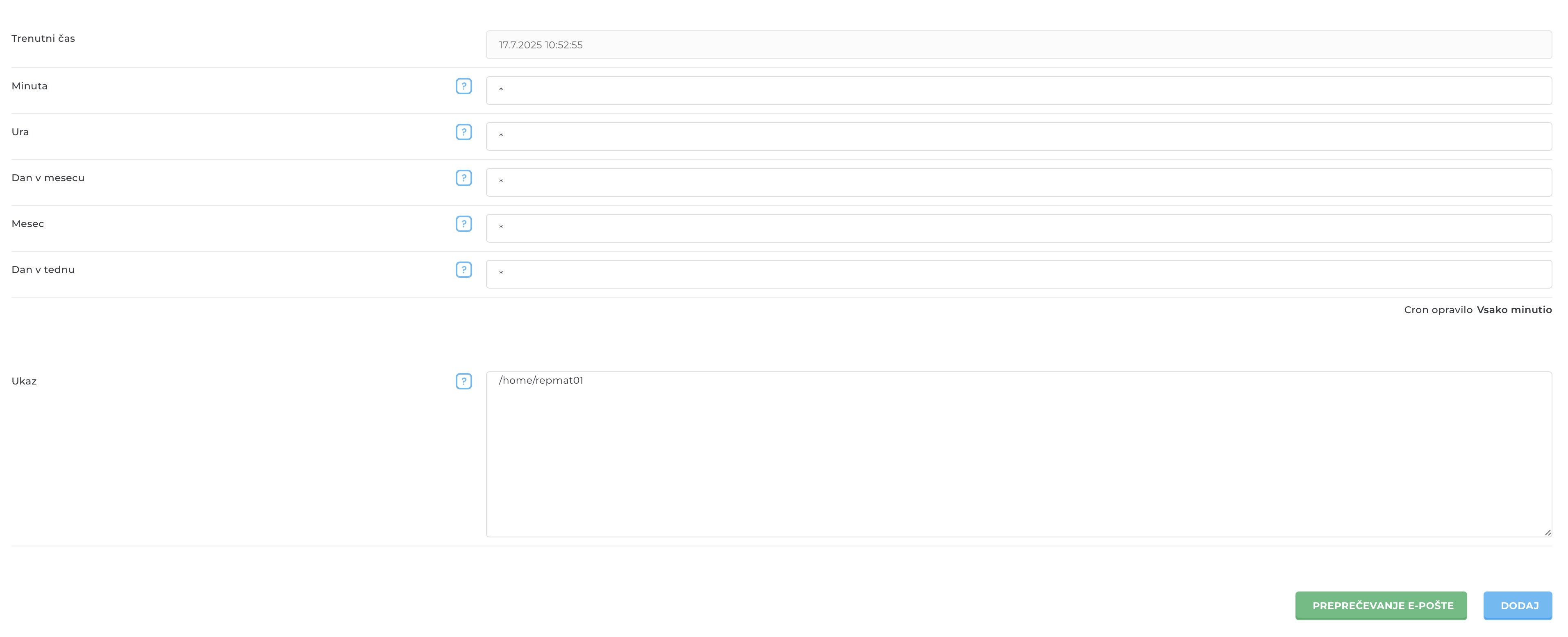
have cron, but have no idea how to run it...looks like this:

http://slike.watersports.si/images/2025/07/17/Screenshot-2025-07-17-at-10.53.13.jpg


but if i understand i neeed to run cron for all subgalleries:


https://divingbled.si/foto/fotografije-2025

https://divingbled.si/foto/fotografije-2024

https://divingbled.si/foto/fotografije-2023

https://divingbled.si/foto/fotografije-2022

......

https://divingbled.si/foto/fotografije-2012

sbluege

Try uptime robot. It's free for some URLs. Maybe this is already enough and simpler

If you need to run something with cron, try "curl https:/...."